<- Docs

How to enable Boost Tube/Pressure using PIWIS III

Owner reported PIWIS/Kombi coding can enable the Cayenne E3 boost tube and custom Boost Pressure display, but evidence is single report and display only, not tuning.

General June 1, 2026
1 source 42 pages 626 source posts 12 used posts

Source discussion

Not an engine tune

Important caveat that PIWIS coding should not be described as tuning

S1Not an engine tuneJohn MclaneJan 17, 2021, 2:52 AM UTCView post #17195937

...you cannot tune using PIWIS

[Quoted post] Originally Posted by dasams You are making some great progress and I'd also like to activate the boost gauge and turn off the PCM nannies some day on my GTS. Keep it up! In the video post just above, it looks like the author raised the boost pressure on a Macan in Normal mode from 1.2 to 1.6 bar, same as the sport mode. But in the video, he showed the before value at 17 psi and the after at 19, a small increase. The before is consistent with 1.2 x 14.7 = 17.6 but the after should have been 1.6 x 14.7 = 23.5 psi. Could it be this easy to tune a Cayenne? There must be a lot more to it. What's your take?
I think he only changed the scale, not the pressure itself. As far as I know, you cannot tune using PIWIS

Main coding values

Primary source listing the boost tube and Boost Pressure coding values used by runbuh
S2Main coding valuesrunbuhFeb 27, 2021, 5:22 AM UTCView post #17262645

...settings I used to enable the ‘boost tube’...

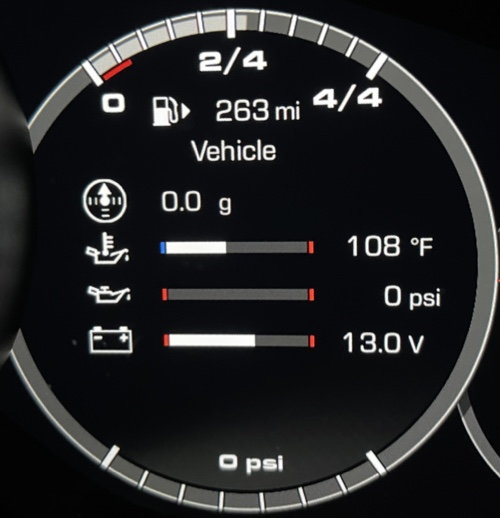
Here's the settings I used to enable the "boost tube", and the ability to have the boost on the custom 4-line view.
Getting the boost on the custom 4-line view is a tricky affair. You cannot configure it via the custom settings on the PCM screen. It won't "stick". You must do the following: Configure the "Individual options line 1" settings (Launch/PIWIS), switch the view from Customized to Vehicle (using the steering wheel controls), then switch the view from Vehicle back to Customized. At least, that's the way it works on my 2019 Cayenne S with no Sport Chrono. I prefer the boost tube at the bottom of the gauge.
Instrument Cluster: Factory setting-Factory setting-individual options line 1: Boost Pressure (probably could use line 1, 2, 3, or 4, but I used line 1)
Instrument Cluster: Factory setting-Factory setting-individual options-Boost/Coolant: Enabled (I think this is necessary for the "Boost tube" at the bottom of the gauge)
Instrument Cluster: Factory setting-Factory setting - menu configuration-Performance: Enabled
Instrument Cluster: Factory setting-Factory setting - menu configuration-Sport Chrono: Enabled (this does not magically give your car Sport Chrono)
Instrument Cluster: Tube 4 bottom bar graph - bargraph: Boost Pressure (also necessary for the Boost tube)
Instrument Cluster: Factory setting-Factory setting-individual options-Boost level/value: Available
Instrument Cluster: Factory setting-Factory setting menu configuration-Boost: Enabled
Instrument Cluster: Menu configuration-Menu configuration right 2-Performance Monitor: Enabled (not sure what this does, might only be for hybrids?)
Instrument Cluster: Menu configuration-Menu configuration right 1-Boost: Enabled (there is also an entry for G-force) - I think this enables the drag/drop options for the custom view that you set via the PCM screen
Instrument Cluster: Boost pressure indication-Boost pressure indication 1: Enabled
Instrument Cluster: Boost pressure indication-Max boost pressure normal: 1.4 Bar (this is the default - I did not change this - if you flash your ECU for a performance boost, you may want to tweak this to a higher bar to show a broader/higher boost range)
Interesting sidenote: Front-end Electronics: Presentation mode of multicolor ambient and contour lighting: Enabled will force the colors to continuously cycle between available colors. It's about 2 - 3 color changes per second. Handy for demo, but irritating otherwise.


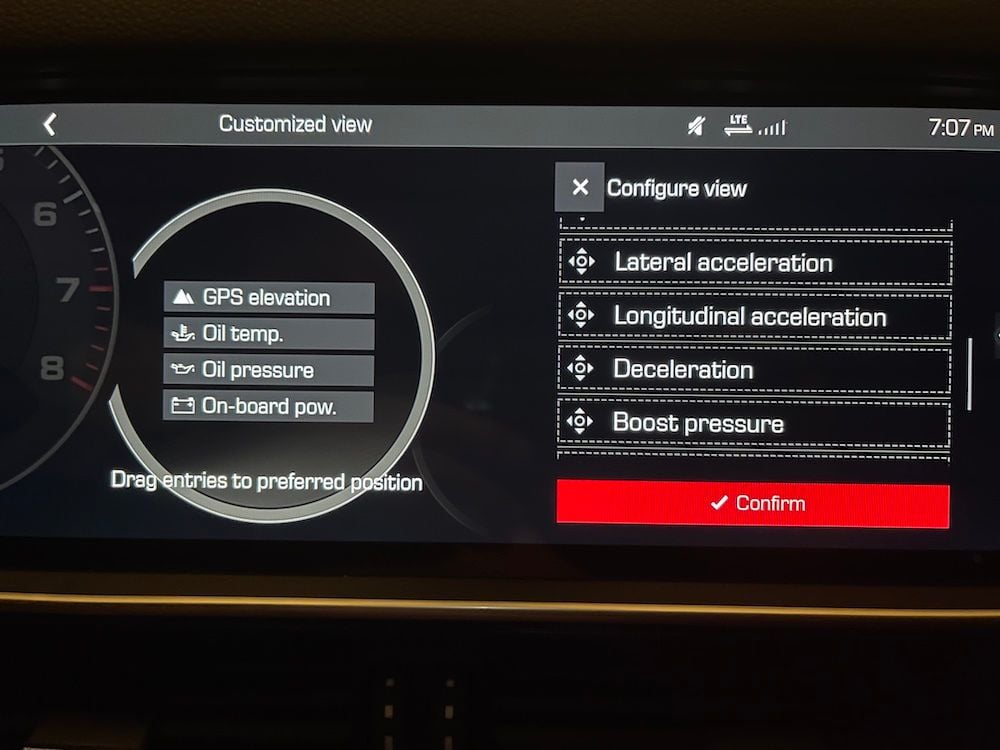
New menu choices for the Customized 4-line display. NOTE THAT BOOST DOES NOT "STICK" USING THIS PCM SCREEN


Boost Tube at the bottom of the gauge, and Boost on Line 1 of the Customized Display


G-force "Deceleration" option on the Customized 4-line display

PIWIS module/path translation

Explains that Instrument Cluster is Kombi in PIWIS and points to manual coding without rules

S3PIWIS module/path translationrunbuhAug 27, 2023, 11:39 PM UTCView post #19038681

...Instrument Cluster is ‘Kombi’...

[Quoted post: 19029346] Originally Posted by limbo Has anyone mapped out how to get this done in PIWIS? I�d very much like to have the �boost tube� that I used to have in my Macan.
It should not be that hard to translate "Instrument Cluster: Factory setting-Factory setting-individual options line 1: Boost Pressure". It's the same settings, just in German. Instrument Cluster is "Kombi", select that, then go to manual coding without rules and scroll around until you see the German equivalent of "factory setting" and then find the values I listed (the German equivalent). It's not hard.

Tool limitation example

Shows that not all Launch X431 models are confirmed to expose coding access
S4Tool limitation examplectguyJan 11, 2024, 3:38 PM UTCView post #19306193

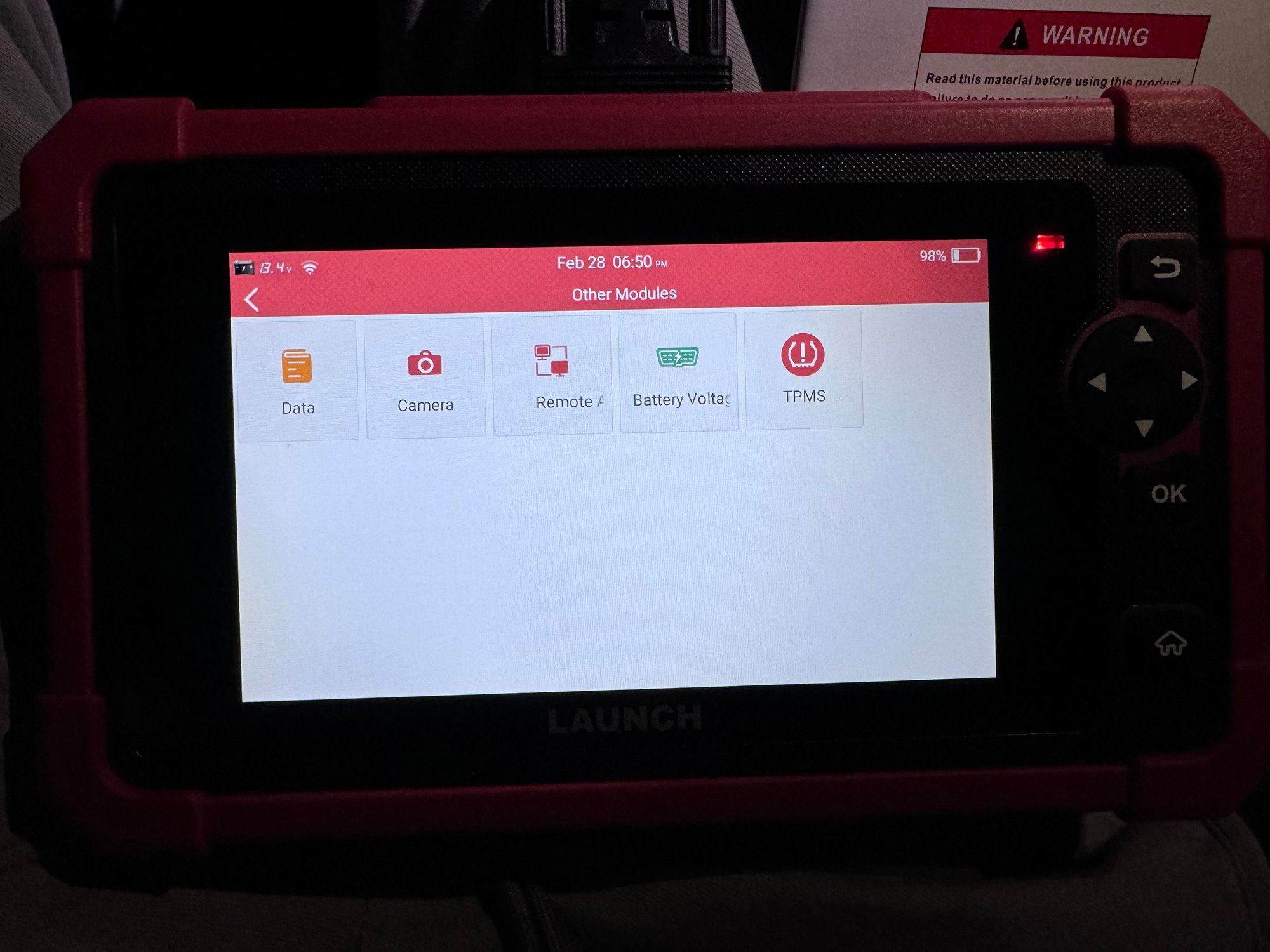
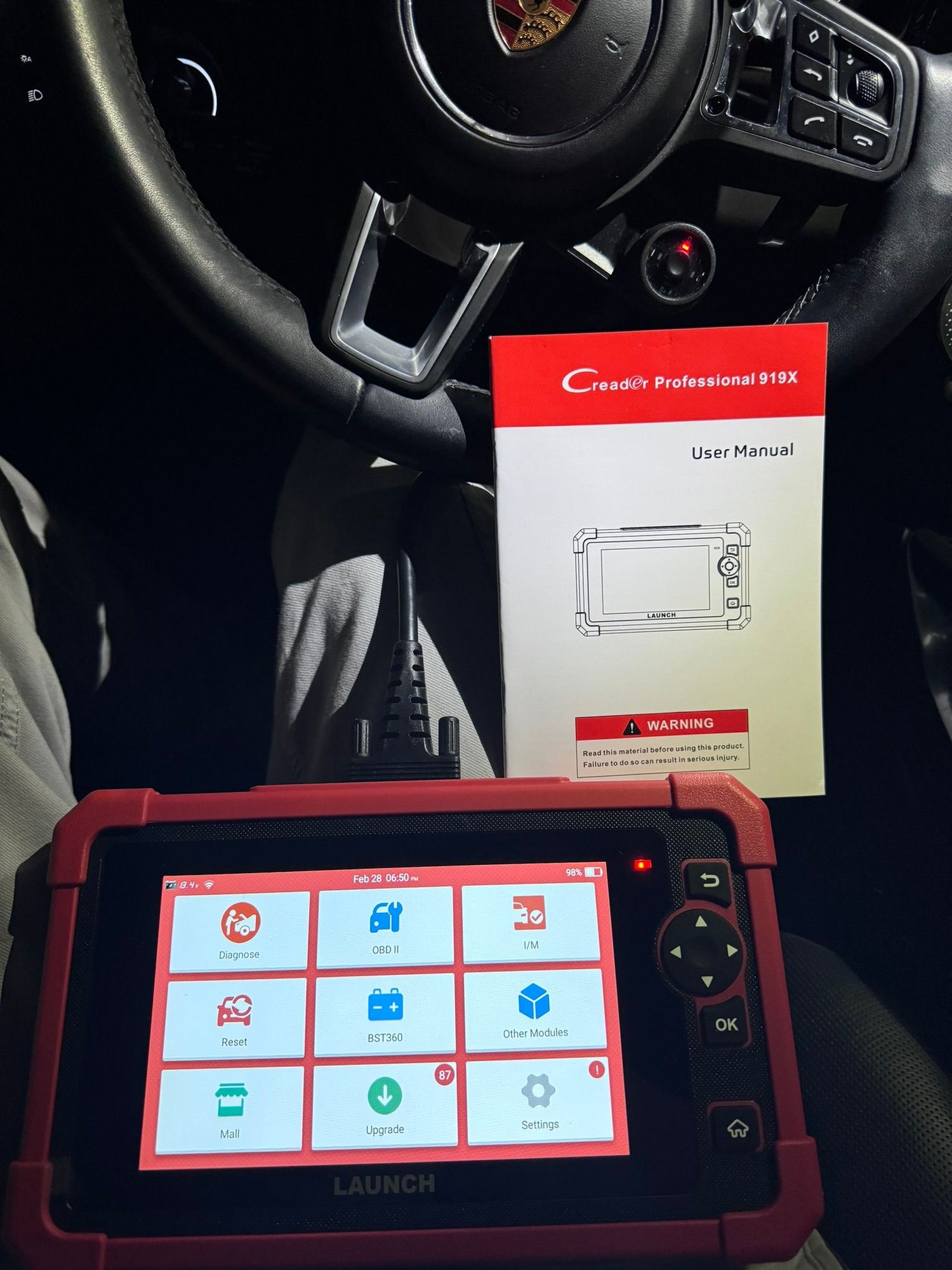
...could not find a way to enter or inspect coding...

[Quoted post: 17202766] Originally Posted by runbuh I'm gonna leave the stuff way down below in place until I test some things in the morning. Tonight, using PIWIS, I put the car back in full auto start/stop mode (and put my headlights back to normal PDLS+). This probably turned my seat belt chimes back on. So, after letting the car sit off/locked for almost an hour, I booted up the x431 and compared things against all of the settings further below. There were only a few differences. So, to test and see if I found everything, I went in and changed the following using the x431:DME - Activation of start-stop function--P150_Ansteuerung Ladedrucksteller Bank 2: change from Activated to Not Activated DME - Coding--Block07-Start_Stop: change from Present to Not Present/coding Cell Not Used (this generated an error on the gauge cluster - the drivetrain error where the 4-connected-wheels diagram displays) Front End Electronics - Kodierwert_P150_Ansteuerung Ladedrucksteller Bank 2:-AraStartStop change from Start_stop_prevention_allowed to Start_stop_prevention_not_allowed Confirmed - this does completely disable Auto Start/Stop in the same manner as the PIWIS route using F7. This route takes about 5 minutes. The Start/Stop button on my home screen is gone and is not available as an option when customizing the home screen. On the Drive Settings screne (Normal/Sport/Individual), there is no Start/Stop button. There is no Start/Stop button option for the custom steering wheel button. This is all just like you see in the screen shots here: https://rennlist.com/forums/cayenne-...l#post17167985 ----------------------------------------------------------------- I took some time with the x431 to search through a number of modules for start/stop related settings (searching for "start"). With my Cayenne configured via PIWIS to completely disable Start/Stop (per the earlier notes in this thread), here are the settings I found. When I get a couple of hours, I will re-enable Start/Stop and then check the values of these same settings in hopes of finding out how to disable Start/Stop via the x431:
Thanks so much runbuh! That's great info Ok so I saw this X431 on a lightning special yesterday on Amazon for $370 with next day shipping (it's now regular price of $465) so I jumped on it. I ordered it here : The sub-model is CRP919X and the full name is Launch X431 CRP919X. So I played around a bit with it.. but don't see anyway to enter codes or look at codes. I wonder if it can do it? Did I get the wrong model? Maybe in the the Pro minis? "【Newly Released ECU Coding】One of the standout features of the CRP919X is its online coding capability, allowing you to easily perform coding and programming tasks for your vehicle directly from this device." It says it can do coding though. Any ideas?

Launch X431 coding access

One owner reports using a Launch X431 PRO S Mini for coding work, while another could not access coding on a CRP919X despite advertised ECU coding capability

S5Launch X431 coding accessrunbuhNov 26, 2020, 5:38 AM UTCView post #17087929

...Launch X431 PRO S Mini...

I am changing this message to be the "wish list and links to how it's done" links post. Links will come as I have time to edit. PM me if you want something added to the wish list (because I might miss it if you post below).
If you want to know general steps on how to use a Launch x431 (I use a PROS Mini), look here: https://www.macanforum.com/threads/p...5#post-2627547
Disable Auto Start Stop
- PIWIS 3: Read post #30: https://rennlist.com/forums/cayenne-...l#post17122196, and follow those steps to change START/STOPP-ANLAGE/REKUPERATION from 7L8 - START/STOPP "DEFAULT ON" MIT REKUP to 7L7 - REKUPERATION (OHNE START/STOPP
- x431: Working: https://rennlist.com/forums/cayenne-...l#post17202766
Full matrix PDLS+ light functionality
- PIWIS 3: Still trying to figure it out
- x431: Still trying to figure it out
Coding off Seat Belt Chimes
- PIWIS 3: ???
- x431: https://rennlist.com/forums/cayenne-...l#post17182156
Comfort Open/Close of Windows and Sunroof via the handheld remote
- PIWIS 3: ???
- x431: Rear-end Electronics - there are lots of Comfort Opening settings for vehicle, keys (1-4), and user accounts (1-7). I tried the vehicle settings only, to no avail. Will try the keys next.
Hatch close with handheld remote:
- PIWIS 3: ???
- x431: ???
Coding off passenger airbag chimes
- PIWIS 3: ???
- x431: ???
Enable cutting off headlights such that they stay off (or stay off longer) for driving through holiday lighting displays
- PIWIS 3: ???
- x431: ???
Flash sidemarker light with turn signal:
- PIWIS 3: ???
- x431: Front-end Electronics: Kodiewert: P150_Ansteuerung Laderdruckstellar Bank 2-sidemarker_also_as_indicator: Set to Active.
(yes - it says Exterior lighting twice)
Change your speedometer scale (does nothing to change your vehicle's actual top speed):
- PIWIS 3: ???
- x431: Instrument Cluster: Coding value 3-Byte Field 3-Speedometer scale: Pick your value from the limited options displayed. I chose 350km/h, so my speedo now shows 225 mph on the top end
Set the number of flashes for the one-touch turn signal (NOTE: THIS SEEMS TO HAVE CHANGED - I CAN NO LONGER FIND THIS)
- PIWIS 3: ???
- x431: Front-end Electronics: Turn signal control-Freeway Flashing, flashing cycles: set the desired number, I used 4.
Change the instrument panel clock pointer color (not the clock on the dash).
- PIWIS 3: ???
- x431: Instrument cluster: Coding value 2-More codings IV-Clock Pointer color: choose from White, Red, Green, or "tbd"
Enable Wireless CarPlay in MY2019 that only came with wired CarPlay
- PIWIS 3: MIB2 (Zentralrechner) --> Manual Coding without rules --> Vehicle Configuration --> Bitfield (7) Apple_DIO_Wireless: On and Bitfield (5) wlan_5ghz_switch: On
- x431: PCM: Vehicle_configuration-Apple_DIO_Wireless: On / PCM: Vehicle_configuration_wlan_5Ghz_switch: Activated (seems to work - not thoroughly tested)
Enable the Boost Tube, and other gauge features, in the Instrument Cluster (replaces the coolant tube at the bottom of the right-side gauge):
- PIWIS 3: ???
- x431: https://rennlist.com/forums/cayenne-...l#post17262645
PM me your additions (and whatever I've missed below).
@John Mclane If you can document what you've done, maybe edit some of your existing posts, to include specifics about what you did, and where you did it, in PIWIS (not just screen shots), that would be most welcome!

E-Hybrid boost display accuracy

Selected posts do not establish whether E-Hybrid vehicles can show accurate boost after coding

S6E-Hybrid boost display accuracyJBBNJ609Apr 26, 2025, 10:00 PM UTCView post #20043689

...full max boost...

2019 cayenne e-hybrid
Anyone get VIM to work? On wireless carplay spotify wont let me type in songs - I have to use siri to tell it to play songs. I also can do much of any changes or menus in the headunit while moving and it gives me an error.
i have tried to change the number from Zero but I do not know the �PIN� to put in to unlock it.
or how to know if I am in Developer mode (or how to put thinkdiag+ into developer mode - if its not already in developer mode)
also in checking out the coolant temperature readings X and Y - mine were/are already mirrored the same but my max coolant temperature readings is never over 194�F - I want to get the true temperature of the coolant to show.
and lastly I have a 2019 cayenne e-hybrid which is stock - and I coded in the boost tube boost psi gauge and it went full max boost on the gauge. I then updated the max bar to 1.6 bar and it still read full at 20psi. I also checked off something with boost where the boost tube turns red while I�m WOT and under heavy acceleration.
ty
I�ll literally paypal applepay / venmo someone if they can just resolve these code setting issues please
S7E-Hybrid boost display accuracyRestoreApr 26, 2025, 10:00 PM UTCView post #20043715

...did not see that behavior...

...for the actual temp on the Cayenne go back to my post #533 which explains the line you need to code. I can't answer the other issues. I did code the boost gauge with the 8 steps (I think it is 8) exactly as described much earlier in this thread and don't have the condition you describe. Either something else was erroneously done or perhaps it can't be accurately displayed on the Hybrid - but I'm not sure.

Red boost tube / overboost display

The selected evidence includes a question about red tube and overboost behavior but no supported answer

S8Red boost tube / overboost displayJBBNJ609May 14, 2025, 3:34 AM UTCView post #20043760

...boost tube turns red...

[Quoted post: 20043715] Originally Posted by Restore ...for the actual temp on the Cayenne go back to my post #533 which explains the line you need to code. I can't answer the other issues. I did code the boost gauge with the 8 steps (I think it is 8) exactly as described much earlier in this thread and don't have the condition you describe. Either something else was erroneously done or perhaps it can't be accurately displayed on the Hybrid - but I'm not sure.
I figured out how to turn off the red with the boost tube- why does it go red? Also is 20psi stock for the 3.0t cayenne ? Ty what is �overboost display�? (Enable vs disable)

Display coding is not engine tuning

Multiple posts converge that this coding should be described as display/menu availability or scaling, not an engine tune. PIWIS coding is not presented as a...

S9Display coding is not engine tuningdon16Jan 29, 2021, 4:55 AM UTCView post #17196645

...scale change does not increase boost on an untuned vehicle...

[Quoted post: 17195937] Originally Posted by John Mclane I think he only changed the scale, not the pressure itself. As far as I know, you cannot tune using PIWIS
Correct the scale was changed. I am tuned hence the the slight increase in boost pressure once the boost scale was increased. If you are not tuned changing scale will make no difference.

Evidence-backed takeaway

The usable procedure is a single owner report from runbuh for a 2019 Cayenne S without Sport Chrono. Treat this as an owner-reported Instrument Cluster/Kombi coding flow, not a confirmed Porsche procedure for every 9Y0/9YA/E3 variant. S2 [2]

For PIWIS III, the reported entry point is Instrument Cluster, shown as Kombi in the German UI, then manual coding without rules. The thread does not provide exact German labels for every setting, so the English labels below are best treated as translated targets to match in PIWIS. S3 [3]

This is display/menu coding only. The cited posts agree that PIWIS coding does not tune the engine or increase boost on an untuned vehicle. S1 [1] S9 [14]

Preparation checks

  • Use PIWIS III access to Instrument Cluster / Kombi, manual coding without rules; exact German label matching still needs verification. S3 [3]
  • Record the original coding values before changing anything; the source gives owner-reported target values but no official rollback table. S2 [2]
  • Keep the goal limited to enabling the boost tube and Boost Pressure display, not raising boost or adding Sport Chrono functionality. S1 [1] S2 [2]

Reported coding settings

Module/menu path Reported value Notes Source
Instrument Cluster: Factory setting-Factory setting-individual options line 1 Boost Pressure runbuh used line 1 and noted line 1, 2, 3, or 4 may work. S2 [2]
Instrument Cluster: Factory setting-Factory setting-individual options-Boost/Coolant Enabled Reported as likely necessary for the boost tube at the bottom of the gauge. S2 [2]
Instrument Cluster: Factory setting-Factory setting - menu configuration-Performance Enabled Owner-reported menu configuration setting. S2 [2]
Instrument Cluster: Factory setting-Factory setting - menu configuration-Sport Chrono Enabled Source explicitly says this does not add Sport Chrono. S2 [2]
Instrument Cluster: Tube 4 bottom bar graph - bargraph Boost Pressure Reported as necessary for the boost tube. S2 [2]
Instrument Cluster: Factory setting-Factory setting-individual options-Boost level/value Available Owner-reported availability setting. S2 [2]
Instrument Cluster: Factory setting-Factory setting menu configuration-Boost Enabled Owner-reported Boost menu setting. S2 [2]
Instrument Cluster: Menu configuration-Menu configuration right 2-Performance Monitor Enabled Source was unsure what this controls and speculated it may only be for hybrids. S2 [2]
Instrument Cluster: Menu configuration-Menu configuration right 1-Boost Enabled Reported to enable drag/drop options for the custom view set through the PCM screen. S2 [2]
Instrument Cluster: Boost pressure indication-Boost pressure indication 1 Enabled Owner-reported boost pressure indication setting. S2 [2]
Instrument Cluster: Boost pressure indication-Max boost pressure normal 1.4 Bar Source says this was the default and was not changed. S2 [2]

Procedure

  1. In PIWIS III, enter Instrument Cluster / Kombi, then use manual coding without rules and locate the German equivalents of the Instrument Cluster settings listed above. S3 [3]
  2. Apply the owner-reported Instrument Cluster coding values in the table, including Boost Pressure in an individual options line, Boost/Coolant enabled, Boost menu enabled, Tube 4 bottom bar graph set to Boost Pressure, and Boost pressure indication enabled. S2 [2]
  3. For the custom 4-line display, do not rely on setting Boost only from the PCM screen; runbuh reported that it would not stick from PCM alone. S2 [2]
  4. After coding individual options line 1 to Boost Pressure, use the steering wheel controls to switch the cluster view from Customized to Vehicle, then from Vehicle back to Customized. S2 [2]
  5. Verify that the boost tube appears at the bottom of the gauge and that Boost can appear on line 1 of the Customized display. S2 [2]

Variants and unresolved points

  • Single report: the successful flow is documented on a 2019 Cayenne S without Sport Chrono; other 9Y0/9YA/E3 trims are not confirmed by the selected evidence. S2 [2]
  • Conflicting reports: Launch X431 tools should not be treated as interchangeable. runbuh reported using a Launch X431 PRO S Mini for coding work, while ctguy could not find coding access on a CRP919X. S5 [5] S4 [4]
  • Conflicting reports: E-Hybrid boost display accuracy is unresolved. One E-Hybrid owner reported full max boost after coding, while Restore reported not seeing that behavior and was unsure whether hybrid hardware/software was involved. S6 [11] S7 [12]
  • Needs verification: the selected evidence includes a question about the boost tube turning red and overboost display, but no supported explanation. S8 [13]

Cited source posts

14 sources
  1. [1] Rennlist post 17195937
  2. [2] Rennlist post 17262645
  3. [3] Rennlist post 19038681
  4. [4] Rennlist post 19306193
  5. [5] Rennlist post 17087929
  6. [6] macanforum.com source 6
  7. [7] Rennlist post 17122196
  8. [8] Rennlist post 17202766
  9. [9] Rennlist post 17182156
  10. [10] Rennlist post 17262645
  11. [11] Rennlist post 20043689
  12. [12] Rennlist post 20043715
  13. [13] Rennlist post 20043760
  14. [14] Rennlist post 17196645